FAQ
What is Floor Plan to 3D?
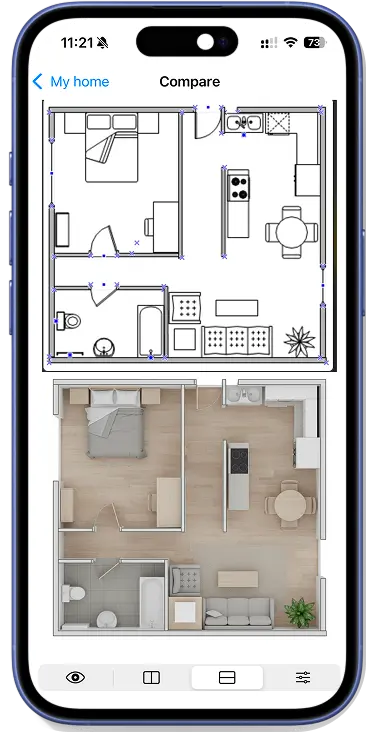
It is a simple iOS app that turns any black-and-white floor plan or blueprint into a clean 3D render. It also helps you redesign rooms, homes, and empty spaces with AI-guided ideas.
Is it useful for room planner or home planner tasks?
Yes. Many people use it as part of their room planner and home planner workflow to preview house design ideas, compare layout options, plan renovations, and share a quick concept with clients.
What does the AI preserve from my plan?
The app reads labels and dimensions and preserves counts, positions, and proportions, so the 3D result reflects your original plan and layout instead of inventing a new one.
Can I redesign interiors, exteriors, or empty rooms?
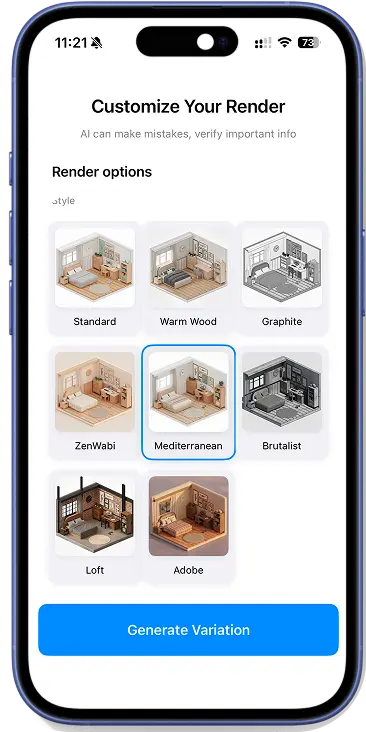
Yes. You can upload a room, facade, or empty space and use AI to explore furnishing ideas, home redesign directions, curb-appeal updates, and renovation looks in seconds.
Does it support AI home design and AI room previews?
Yes. The render is AI-assisted for speed and clarity. It works well for AI home design explorations, fast room previews, and quick before-and-after redesign concepts without manual 3D modeling.
Can I export or share the 3D render?
You can export high-resolution images of the 3D render to include in proposals, building or renovation planning, and presentations.
Which files or plans work best?
Black-and-white plans work best: floor plan PDFs, blueprint scans, or clear photos. The app is ideal when you want a quick 3D view of a plan before modeling.